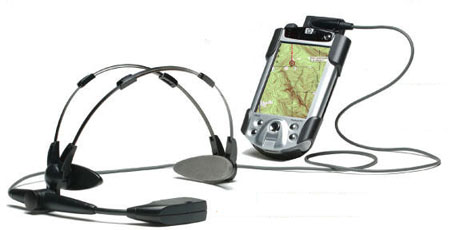
There is a useful little article on PalmFocus which discusses how to get podcasts onto a PDA. For example, RSS news feed managers like Quick News can also handle podcasts. Listening to podcasts and music does make the subway commute to work more stimulating, but the earphones are probably bad for my hearing. At least I will have an excuse not to pay attention to a certain adolescent's demands for a new iPod.
Green as in Saving the World
I am on a mission to reduce power consumption in my house. I have about a dozen small transformers plugged into the wall in my office. These enable my PC, my PDA rechargers, my internet modem, and a variety of other devices. I was recently tidying up around them and noticed just how much heat they continuously emit. Individually they consume only a few watts but it does add up.
Yet I use them perhaps a few hours per day on average. The solution: a switched power bar. When I need to compute, I turn on the whole shebang. The rest of the day, they are switched off and staying cool. This actually has additional benefits in terms of security. Switched off, my wireless router is not accessible to being hacked. And each time I turn the internet modem back on, it acquires a new "address", helping to defeat certain types of web attackers.
My PDA and a USB memory stick are also useaful against global warming. They let me bring work on the road without my laptop. If I can't get by with the PDA, the memory stick lets me use a local PC. Privacy for the mobile road warrior can be tricky, but I found some great ideas at PortableApps.
There are much more power-hungry machines in my home. But I also vacuumed the fridge heat exchanger coils, installed a programmable thermostat and started hanging clothes to dry in the basement instead of using the dryer (yes that's why I favour the rumpled, professorial look).
Taken to the Cleaners
While I am on the subject of cleaning, let me mention the springtime ritual of cleaning up a PDA. This is a good time to try to recover memory by removing unneeded applications. I also have duplicate documents on my SD memory card that could go. There are medical articles and miscellaneous notes that are out of date. And my appointments or completed ToDo tasks from 2006 can be archived or simpley expunged. Getting back about two megabytes of system RAM
this way feels good and allows me to consider loading up new stuff for testing.
I do all this work manually, but Palm offers a toolkit called the NeatFreak Pack which makes it considerably less tedious. Depending on which sort of clean up you are interested in, there are many other software tools available.
Busy Bees
Palm and other wireless product/service providers have been very active this past month. I have received numerous eMails about products and information events of interest:
- The Palm web store has a raft of sales and special pricing for PDAs and accessories.
- Palm also held an online webinar about mobile security. For Treo smartphone users who need to access data on a central server, there were a few interesting ideas.
- Palm is also promoting a series of webinars dedicated to the push eMail solution offered by their Treo 700w series PDAs (which use Microsoft's PocketPC system), and cellular service provider Verizon. OK, many of us can't use this but I hope someone offers comparable capabilities to the Palm OS smartphone users in Canada.
- Emory University Medical Centre deployed a wireless network to enable all sorts of innovations for their doctors and nurses. HealthCare IT News has the story if you are willing to register and give them your eMail address.
Nuts and Bolts
No, not new Palm hardware, but lots of other intriguing solutions for mobile workers:
- Medical applications for the Blackberry series are starting to pop up. QxMD offers a calculator for nephrology problems. I expect we will see more and more applications for this platform. The QxMD site itself links to LexiComp and the concise Oxford Medical Dictionary.
- The Garmin Mobile 10 enables Bluetooth-equipped smartphones and PDAs to access GPS localization services. The best part is that one GPS receiver can be used with any computer, PDA, phone that has Bluetooth wireless networking. I like that flexibility.
- Sony offers UX micro PCs running Windows Vista. This being Sony, the price is steep, but just think how compatible the UX would be with your desktop PC. I know someone who couldn't find the Sony micro he wanted in Canada. His solution? Buy from Dynamism,
an American company which imports SONY devices from Japan, then strips out the Japanese operating system and replaces it with English Windows OS. Sounds adventurous
to me.... - A portable device with a keyboard makes for a lightweight text input solution. The K-Jam
from i-mate runs Windows PocketPC and has everything you could ask for: wifi card, camera, 3G cellular capability, you name it. - I have never been very enthusiastic about Windows tablet PCs. The trade-offs of weight, screen size, battery life and fragility never seemed worth it. Motion Computing's new C5 Mobile Clinical Assistant has addressed some of my biggest peeves. The thing has a great big handle so it's hard to drop. It has no keyboard so it is easy to wipe do
 wn and decontaminate. Its integrated camera, RFID reader and barcode reader make it perfect for rapid patient or object identification. And the screen is big enough to make using Windows less painful than on a PDA. The brochure doesn't state this, but the C5 may be light enough to hang on a belt clip or in an oversize pocket in order to free up both hands for clinical work. Because it runs Windows and has wifi, it can probably run your hospital's electronic patient record software and connect to the main data repository. In short, this concept takes a good shot at providing what is needed by the emergency department staff or field medics.
 - By contrast, Symbol got it almost right with their latest Windows Pocket PC device, the WT
4000. It can be strapped to wrist or thigh and is intended for use by warehouse staff who need to hold a barcode scanner (or they can strap that to their hand, too). Unfortunately, the WT 4000 has no touch screen and relies on a cellphone-like keyboard which makes it less functional for workers who need more than a scanner to enter data. Nonetheless, this is on the right track for freeing up both hands.

Mobile Medical References
I have been using PEPID for some years now. This provides me with background on many medical conditions, a prescription drug database, a drug interaction checker, critical care algorithms, medical calculators, and much more. PEPID runs on my Palm PDA but can also be
accessed from the Internet. Recently I have been looking at another medical reference package called UpToDate.This is also available on my PC, the Internet, and my PDA. It has far more extensive information on medical conditions but lacks some of the other tools that PEPID provides. UpToDate requires a relatively new PDA to run, and (on my Treo 650) will only install onto a memory card due to its need for 1.5 gigabytes of room. This could be awkward for users with huge databases on their SD card already, because older Treos can't handle SD cards larger than two gigabytes in total. Newer Treo models can handle cards with up to 4 gigabyte capacity. I am getting an inkling of what my next PDA upgrade will be and why. The database seems comprehensive (I haven't stumped it with any questions yet) but it isn't cheap. If you like
it you should try to find a job at a teaching hospital with a site licence (grin).
I'm still waiting for new Palm PDAs for specialized or niche medical workers. Still waiting... until next month at least.